SelfX Smart Self-Ordering Kiosks – In Stock & Ready to Deploy.TALK TO AN EXPERT NOW
SelfX Logo
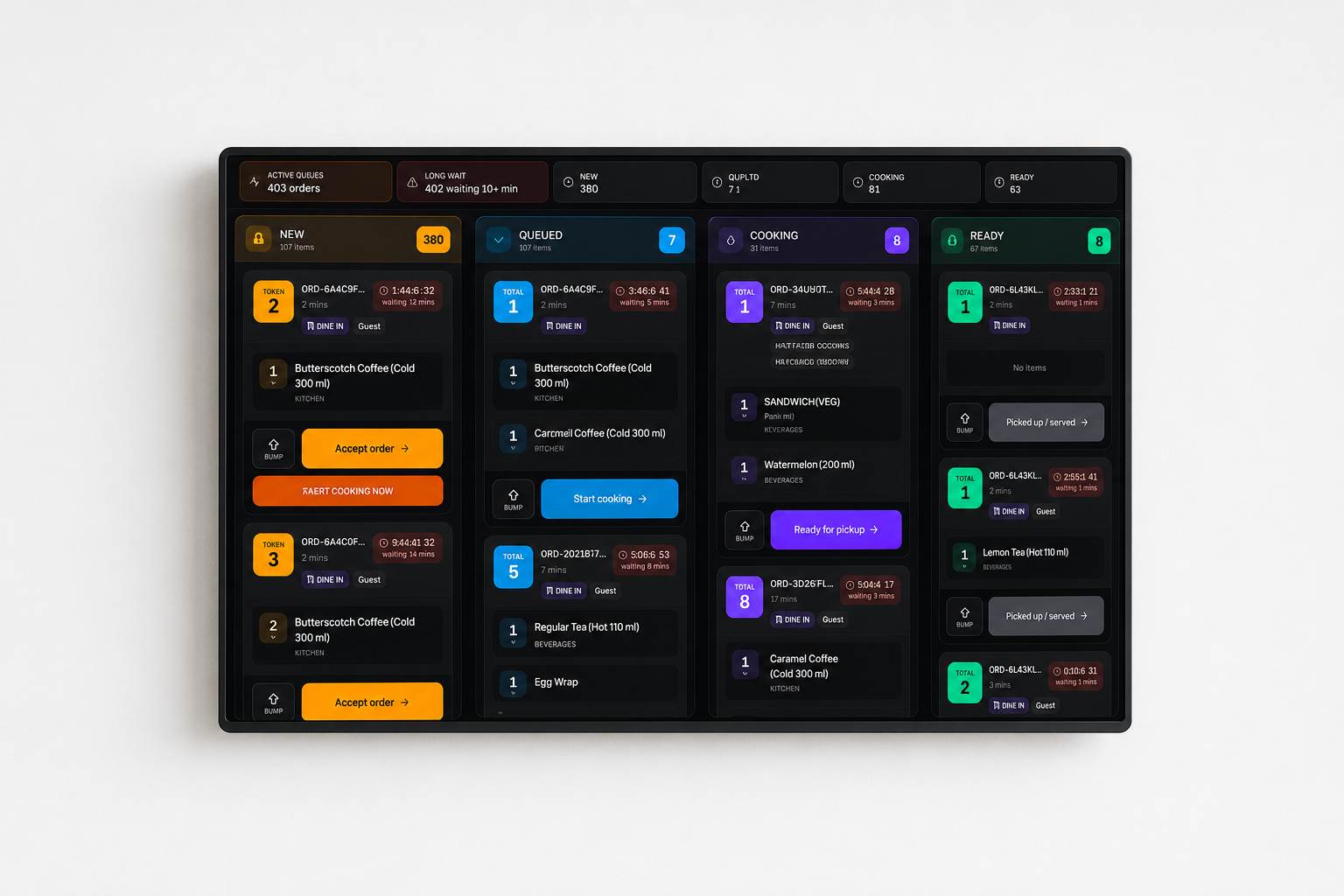
Kitchen Display System (KDS)

Ditch Paper. Accelerate Preparation.

Replace mechanical printers with color-coded, interactive KDS monitors. Sync front-of-house status and bump tickets in a single tap.

Color-Coded Timers
LAN Offline Operations
Bump-Bar Integrations
SELFX
Kitchen Display POLLING
Demo Bistro • Downtown
05:35:20 PM
THU, JUL 30
NEW
56 ITEMS
24
Token1
ORD-6A3F79
1 items
DINE IN
1x
Chocolate Brownie
Token3
ORD-6A3F7A
1 items
TAKEAWAYThokala Mukesh
1x
Caesar Salad
QUEUED
4 ITEMS
2
Token1
ORD-6A3653
2 items
DINE IN
1x
Pasta Carbonara
1x
Fresh Orange Juice
Token1
ORD-6A3856
2 items
DINE INRaj
1x
Pasta Carbonara
1x
Mineral Water
COOKING
10 ITEMS
2
Token6
ORD-DEMO-0
3 items
DELIVERYCustomer 6
1x
Soup of the Day
2x
Fresh Orange Juice
2x
Mineral Water
Token9
ORD-DEMO-0
2 items
TAKEAWAYCustomer 9
2x
Caesar Salad
2x
Pasta Carbonara
READY
20 ITEMS
5
Token15
ORD-DEMO-0
3 items
DINE INCustomer 15
2x
Garlic Bread
1x
Pasta Carbonara
2x
Fish & Chips
Token7
ORD-DEMO-0
2 items
DINE INCustomer 7
2x
Beef Burger
1x
Margherita Pizza
Kitchen Friction

The speed and accuracy constraints of paper printers

Lost & Stained Tickets

Paper tickets easily drop behind counters, get splashed with water, or catch fire in hot, noisy kitchens, leading to major prep errors.

No Color Pacing Alerts

Paper slips cannot change colors to notify busy cooks that a table has been waiting 15+ minutes, causing uneven check times.

Manual Ticket Rail Sorting

Cooks spend precious time rearranging paper tickets on rails during peak rushes rather than preparing food, leading to production blockages.
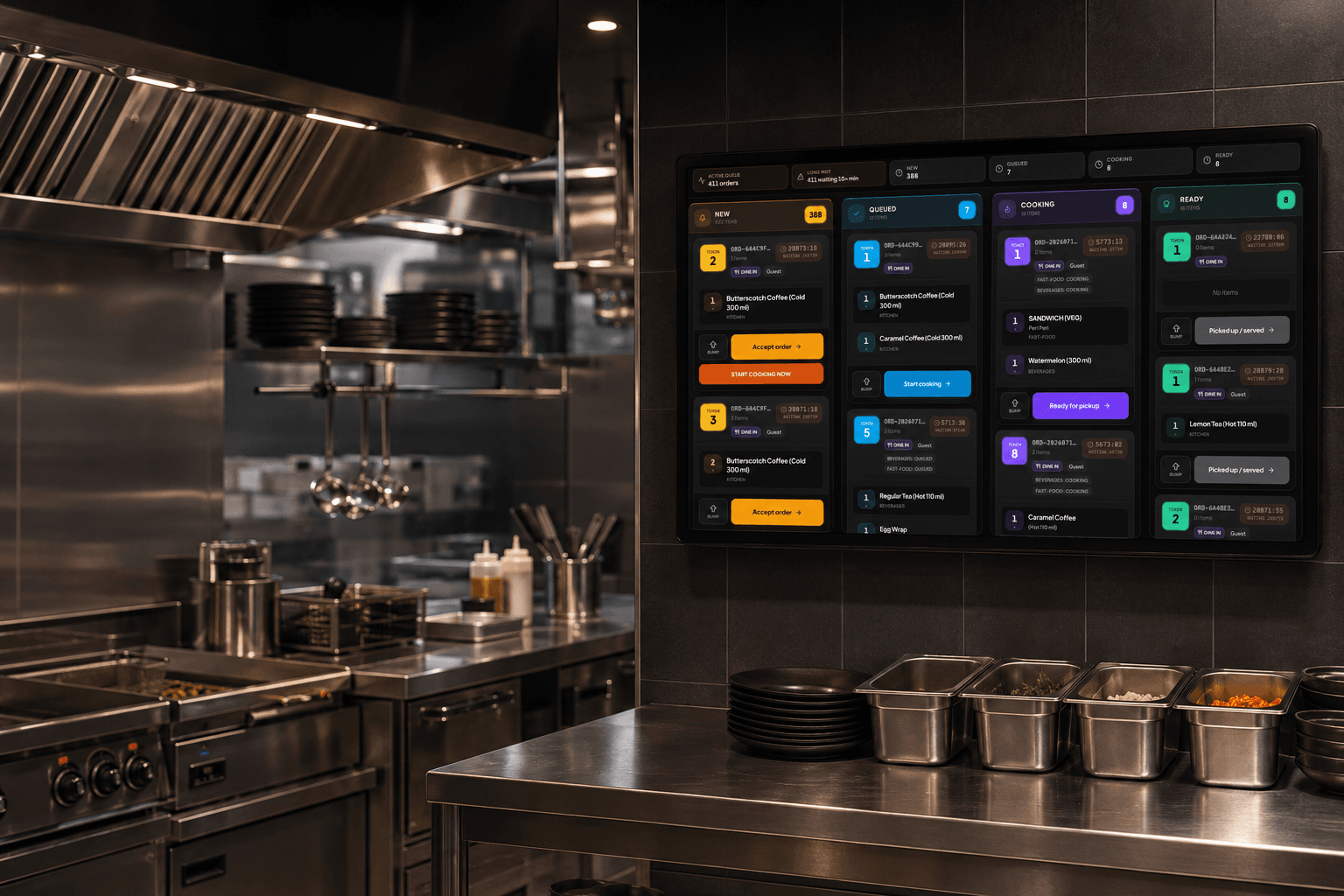
The speed and accuracy constraints of paper printers
The KDS Flow

Interactive prep execution in 4 steps

1

Order Routed to Screen

Orders placed on POS terminals, kiosks, or online portals appear instantly on designated prep station monitors.

2

Pace Alerts Trigger

Incoming ticket headers start green, transitioning to warning yellow, and finally overdue flashing red as they approach wait time thresholds.

3

Single-Tap Bump

Once the prep station cook finishes the items, they tap the screen or hit a physical bump bar button to clear the ticket.

4

FOH Status Update

The POS, order pickup boards, and mobile servers' screens show the ticket status as 'Ready', triggering immediate delivery.

Core Capabilities

Built to orchestrate complex kitchen prep

High-Visibility Screens

Large, high-contrast digital layouts designed to be readable from across a hot and busy kitchen line.

Color-Coded Timers

Alert kitchen staff by changing ticket headers from green, to warning yellow, and finally to flashing red based on wait limits.

Custom Station Layouts

Configure screens specifically for Expo, Grill, Sauté, Prep, or Bar views, showing only relevant items.

Interactive Bumping

Mark individual items or complete tickets as finished with a simple tap or robust physical bump bar.

Item Summary Views

Consolidates cooking quantities (e.g. '12x Cheeseburgers', '6x Fries') so cooks know total volumes needed at a glance.

Modification Banners

Displays allergen information and custom ingredient modifications in prominent, blinking high-contrast panels.

Multi-Channel Sync

Unifies order tickets from POS registers, table QRs, self-service kiosks, and web orders onto one cohesive screen.

LAN Database Failover

Syncs tickets over your local router network, maintaining screen communications even if external internet drops.

Verified Business Impact

Unlock kitchen speed and coordination

-0%

Average Wait Times

+0%

Kitchen Output Capacity

0%

Order Ticket Accuracy

0

Paper Ticket Costs

Deployments

Engineered for high-volume kitchen zones

Fast Casual Chains

Fast Casual Chains

Busiest Bars & Pubs

Busiest Bars & Pubs

Hospitality Food Courts

Hospitality Food Courts

Explore More Ecosystem Solutions Offered By SelfX

Get to know the extensive range of systems aimed at streamlining your business operations!

POS System

Enjoy seamless operations at your workplace with a tailored POS solution!

  • Intuitive UI
  • Consistent and Dependable
  • Optimised Operations
LEARN MORE

Mobile App

Engage your customers anytime, anywhere with a custom-branded ordering app.

  • Push Notifications
  • Loyalty Integration
  • Fast Checkout
LEARN MORE

Online Ordering

A powerful web ordering portal to increase your direct digital sales.

  • Zero Commissions
  • Custom Domain
  • Menu Syncing
LEARN MORE

Food Lockers

Automate pickups and offer secure, contactless food retrieval.

  • QR Code Unlock
  • Temperature Control
  • No Wait Times
LEARN MORE

Self Order Terminal

Slash queues and boost average order values with smart kiosks.

  • AI Upselling
  • Easy Customisation
  • Multiple Payments
LEARN MORE

Kitchen Display System

Manage orders effortlessly with durable equipment for busy kitchens.

  • Durable Equipment
  • Waterproof Solutions
  • Centralized System
LEARN MORE

Menu Display

Vibrant digital menus that grab attention and drive more sales.

  • Dynamic Pricing
  • Rich Media Support
  • Instant Updates
LEARN MORE

Order Display Board

Keep customers informed on their order status in real-time.

  • Audio Alerts
  • Clear Visuals
  • Reduce Anxiety
LEARN MORE

AI Phone Ordering

Never miss a phone order with our conversational AI voice bot.

  • 24/7 Availability
  • No Hold Times
  • Direct POS Sync
LEARN MORE

Captain App

Empower your waitstaff with a handheld ordering and payment device.

  • Tableside Ordering
  • Split Checks
  • Instant Kitchen Firing
LEARN MORE
Prep Analytics

Audits of prep station speeds.

Track average ticket times, station loads, cook speeds, and bump frequencies on the analytics portal.

Real-time trackingMonitor performance and pinpoint bottlenecks instantly.
Automated reportsGet daily and weekly insights straight to your inbox.
Granular insightsAnalyze throughput, volumes, and prep delays.
Data decisionsOptimize operations based on actionable historical data.

What Food Business Owners Say

Hear from restaurant owners, café managers, and food entrepreneurs who've grown their businesses with SelfX. From smoother order management to higher profits, see how SelfX is making a real difference for them.

"

Switching to SELFX POS Cloud transformed our multi-state operation. We went from manual end-of-day spreadsheets to 100% automated, live cloud reporting across 45 locations. I cannot express how pleased I am with the service I received.

"

Selvakumar

Online Marketing Manager, Hotel Mangalam Groups

Kitchen Display System (KDS) FAQs

Our software is highly responsive, supporting standard 10-inch tablets up to heavy-duty 22-inch and 32-inch kitchen monitors.
Yes, it can run on standard iPads or Android tablets. However, for grease and heat resistance, we recommend our specialized high-nit commercial enclosures.
Yes, the KDS integrates with standard commercial USB and Bluetooth bump bars, enabling cooks to navigate and bump orders using glove-friendly physical keys.
The system contains a 'Recall' bin at the top of the layout. Tapping it displays recently bumped tickets, letting cooks restore them in one click.
Yes. Tapping an item on the screen can open an overlay displaying the recipe, preparation steps, and plating diagrams to assist training staff.
Custom modifiers (e.g. 'No Mayo', 'Extra Cheese') are highlighted in bold colored boxes, ensuring cooks see modifications immediately.
Yes. For multi-concept food courts or ghost kitchens, the KDS can display tickets consolidated from multiple brand accounts on a single screen.
Yes. The KDS communicates with the POS over the local area network (LAN). It will continue routing and syncing orders even during full internet outages.

Ditch paper tickets today.

Transition your kitchen to a silent, color-coded digital display system built for speed and precision.

Hi, welcome to SelfX — thanks for visiting us today.